<< Prev Question Next Question >>
Question 19/64
(Ticket 3: OSPF Authentication)
Scenario: The implementation group has been using the test bed to do a 'proof-of-concept' that requires both Client 1 and Client 2 to access the WEB Server at 209.65.200.241. After several changes to the network addressing, routing schemes, DHCP services, layer 2 connectivity, FHRP services, and, device security, a trouble ticket has been opened indicating that Client 1 cannot ping the 209.65.200.241 address.
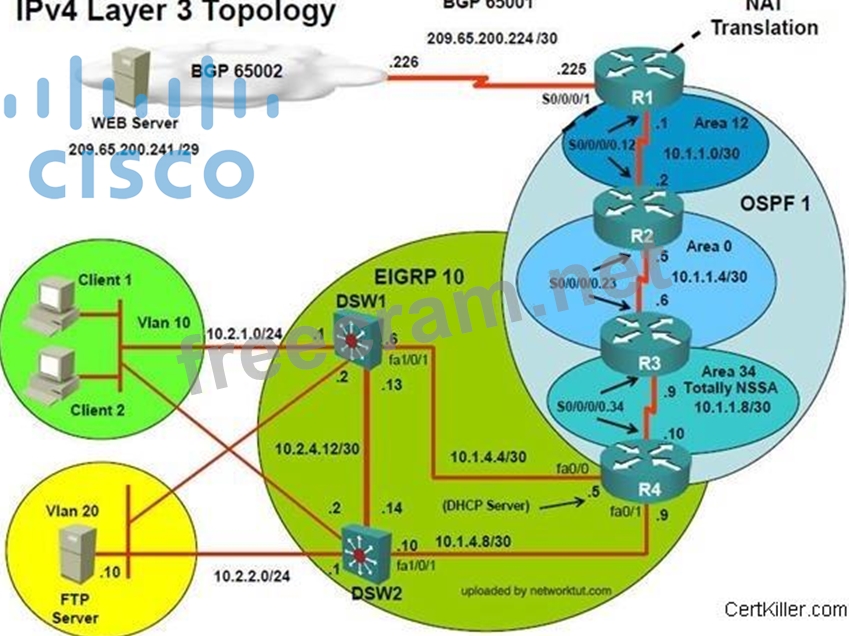
Figure 1
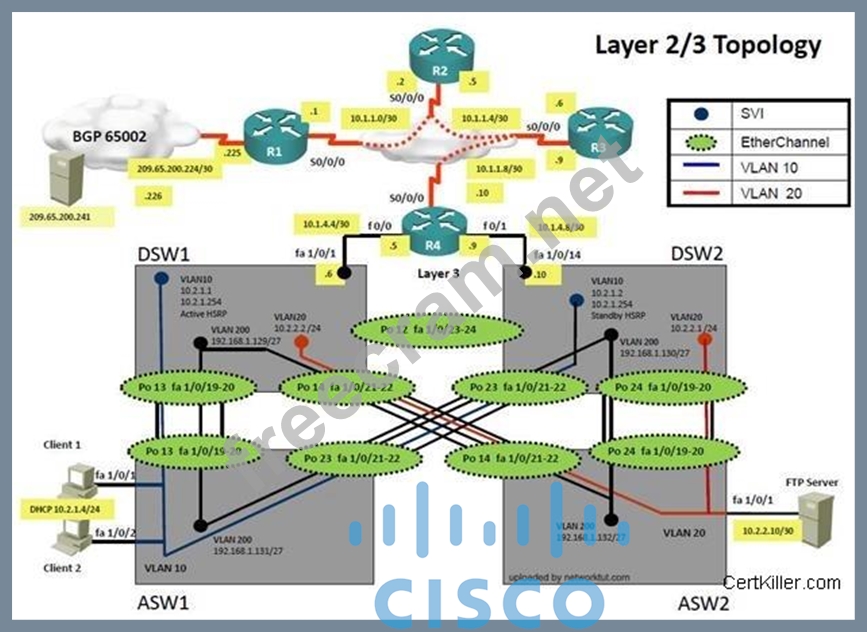
Figure 2
Trouble Ticket Statement:
Client 1 is able to ping 10.1.1.2 but not 10.1.1.1. Initial troubleshooting shows that R1 does not have any OSPF neighbors or any OSPF routes
Configuration on R1:
router ospf 1
log-adjacency-changes
network 10.1.1.0 0.0.0.3 area 12
default-information originate always
!
interfaceSerial0/0/0/0.12 point-to-point
ip address 10.1.1.1 255.255.255.252
ip nat inside
ip ospf message-digest-key 1 md5 TSHOOT
Configuration on R2:
router ospf 1
log-adjacency-changes
network 10.1.1.0 0.0.0.3 area 12
!
interfaceSerial0/0/0/0.12 point-to-point
ip address 10.1.1.2 255.255.255.252
ip ospf authentication message-digest
ip ospf message-digest-key 1 md5 TSHOOT
What is the solution of the fault condition?
Scenario: The implementation group has been using the test bed to do a 'proof-of-concept' that requires both Client 1 and Client 2 to access the WEB Server at 209.65.200.241. After several changes to the network addressing, routing schemes, DHCP services, layer 2 connectivity, FHRP services, and, device security, a trouble ticket has been opened indicating that Client 1 cannot ping the 209.65.200.241 address.
Figure 1
Figure 2
Trouble Ticket Statement:
Client 1 is able to ping 10.1.1.2 but not 10.1.1.1. Initial troubleshooting shows that R1 does not have any OSPF neighbors or any OSPF routes
Configuration on R1:
router ospf 1
log-adjacency-changes
network 10.1.1.0 0.0.0.3 area 12
default-information originate always
!
interfaceSerial0/0/0/0.12 point-to-point
ip address 10.1.1.1 255.255.255.252
ip nat inside
ip ospf message-digest-key 1 md5 TSHOOT
Configuration on R2:
router ospf 1
log-adjacency-changes
network 10.1.1.0 0.0.0.3 area 12
!
interfaceSerial0/0/0/0.12 point-to-point
ip address 10.1.1.2 255.255.255.252
ip ospf authentication message-digest
ip ospf message-digest-key 1 md5 TSHOOT
What is the solution of the fault condition?


