<< Prev Question Next Question >>
Question 23/40
Hotspot Question
A remote Power Apps user experiences an issue with a canvas app. The issue cannot be reproduced locally.
You must analyze the issue in near real-time. Session data must be available for later review.
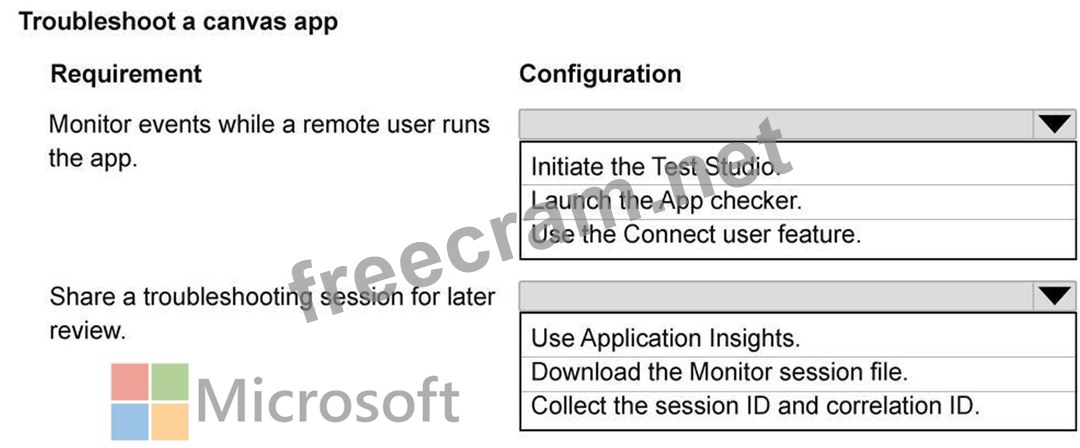
You need to troubleshoot the canvas app by using Monitor.
How should you troubleshoot the app? To answer, select the appropriate options in the answer area.
NOTE: Each correct selection is worth one point.
A remote Power Apps user experiences an issue with a canvas app. The issue cannot be reproduced locally.
You must analyze the issue in near real-time. Session data must be available for later review.
You need to troubleshoot the canvas app by using Monitor.
How should you troubleshoot the app? To answer, select the appropriate options in the answer area.
NOTE: Each correct selection is worth one point.


