<< Prev Question Next Question >>
Question 9/40
Hotspot Question
A company processes customer orders by using a cloud flow.
The flow must evaluate the following conditions:
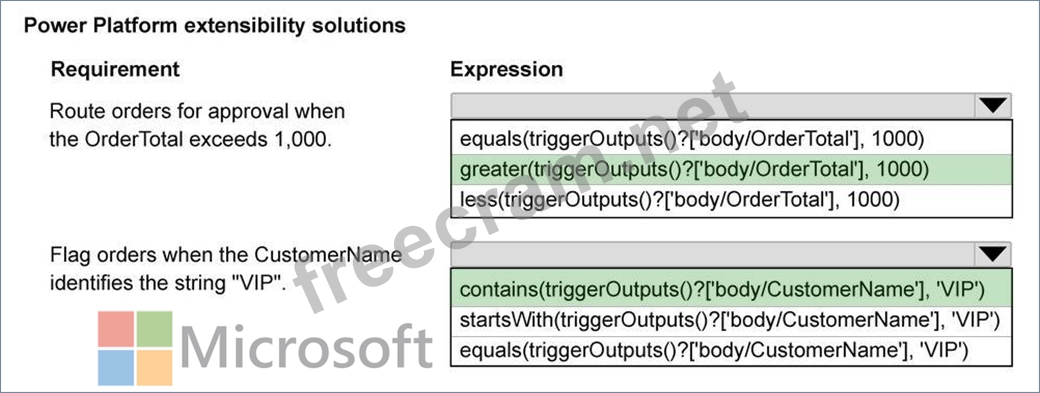
- Route orders for approval when the OrderTotal exceeds 1,000.
- Flag orders when the CustomerName identifies the string "VIP".
You need to configure flow conditions.
Which expressions should you use? To answer, select the appropriate options in the answer area.
NOTE: Each correct selection is worth one point.

A company processes customer orders by using a cloud flow.
The flow must evaluate the following conditions:
- Route orders for approval when the OrderTotal exceeds 1,000.
- Flag orders when the CustomerName identifies the string "VIP".
You need to configure flow conditions.
Which expressions should you use? To answer, select the appropriate options in the answer area.
NOTE: Each correct selection is worth one point.