<< Prev Question
Question 53/53
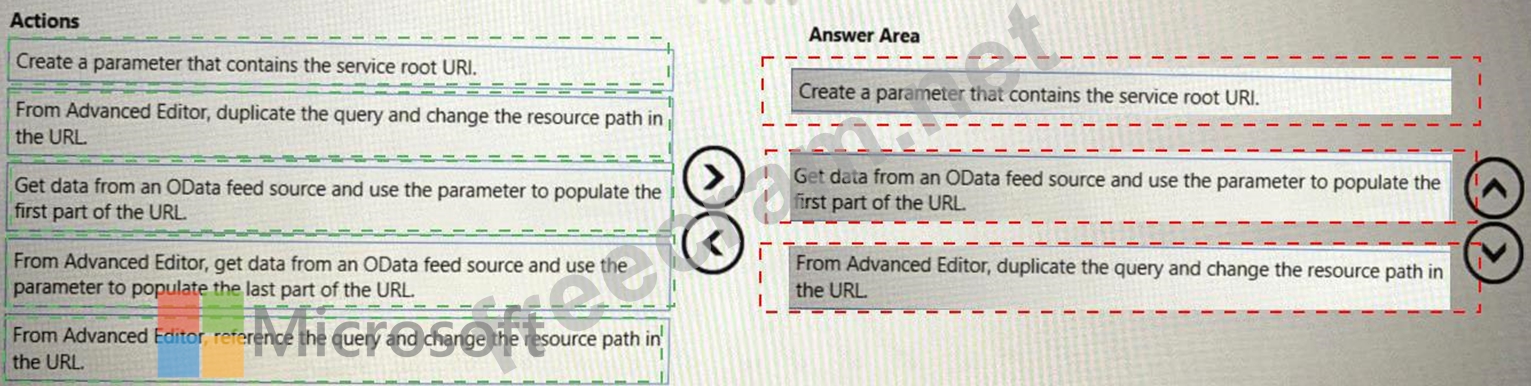
You plan to create a Power Bl report that will use an OData feed as the data source. You will retrieve all the entities from two different collections by using the same service root The OData feed is still in development. The location of the feed will change once development is complete.
The report will be published before the OData feed development is complete.
You need to minimize development effort to change the data source once the location changes.
Which three actions should you perform in sequence? To answer, move the appropriate actions from the list of actions to the answer area and arrange them in the correct order.
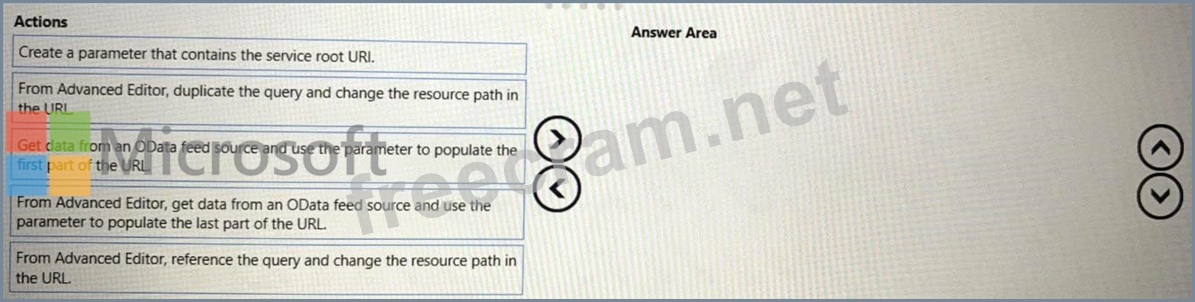
The report will be published before the OData feed development is complete.
You need to minimize development effort to change the data source once the location changes.
Which three actions should you perform in sequence? To answer, move the appropriate actions from the list of actions to the answer area and arrange them in the correct order.