<< Prev Question Next Question >>
Question 3/40
Note: This question is part of a series of questions that present the same scenario. Each question in the series contains a unique solution that might meet the stated goals. Some question sets might have more than one correct solution, while others might not have a correct solution.
After you answer a question in this sections, you will NOT be able to return to it. As a result, these questions will not appear in the review screen.
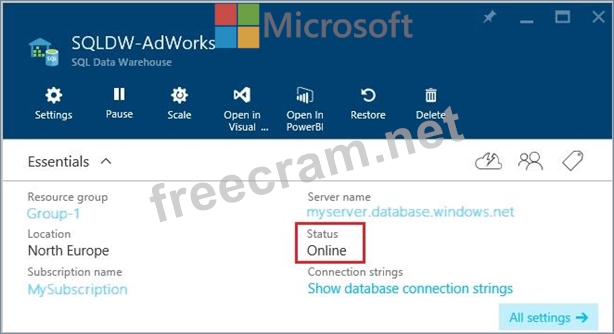
You have a Microsoft Azure SQL Data Warehouse instance that must be available six months a day for reporting.
You need to pause the compute resources when the instance is not being used.
Solution: You use the Azure portal.
Does the solution meet the goal?
After you answer a question in this sections, you will NOT be able to return to it. As a result, these questions will not appear in the review screen.
You have a Microsoft Azure SQL Data Warehouse instance that must be available six months a day for reporting.
You need to pause the compute resources when the instance is not being used.
Solution: You use the Azure portal.
Does the solution meet the goal?