<< Prev Question Next Question >>
Question 8/40
DRAG DROP
You administer a Microsoft SQL Server Master Data Services (MDS) model. All model entity members have passed validation.
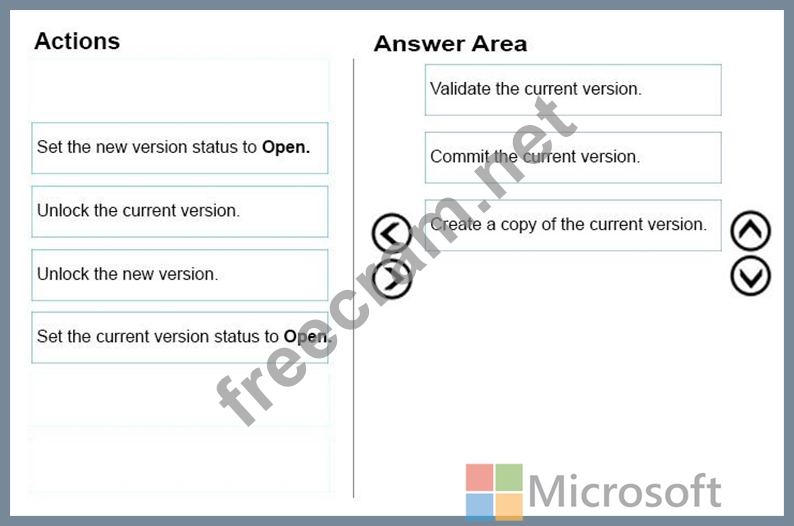
The current model version should be committed to form a record of master data that can be audited and create a new version to allow the ongoing management of the master data.
You lock the current version. You need to manage the model versions.
Which three actions should you perform in sequence? To answer, move the appropriate actions from the list of actions to the answer area, and arrange them in the correct order.
Select and Place:
You administer a Microsoft SQL Server Master Data Services (MDS) model. All model entity members have passed validation.
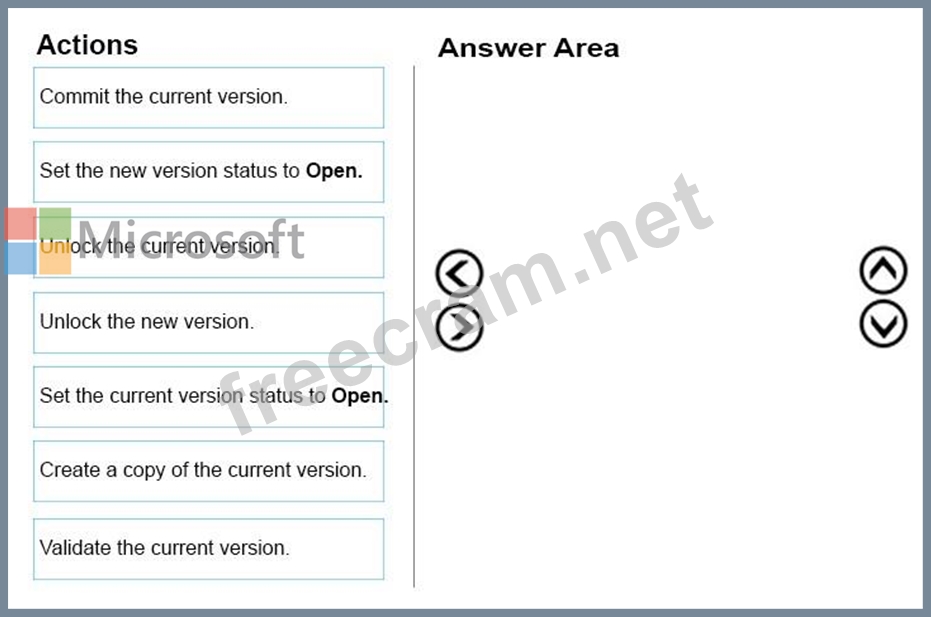
The current model version should be committed to form a record of master data that can be audited and create a new version to allow the ongoing management of the master data.
You lock the current version. You need to manage the model versions.
Which three actions should you perform in sequence? To answer, move the appropriate actions from the list of actions to the answer area, and arrange them in the correct order.
Select and Place: