Graphical user interface, application Description automatically generated

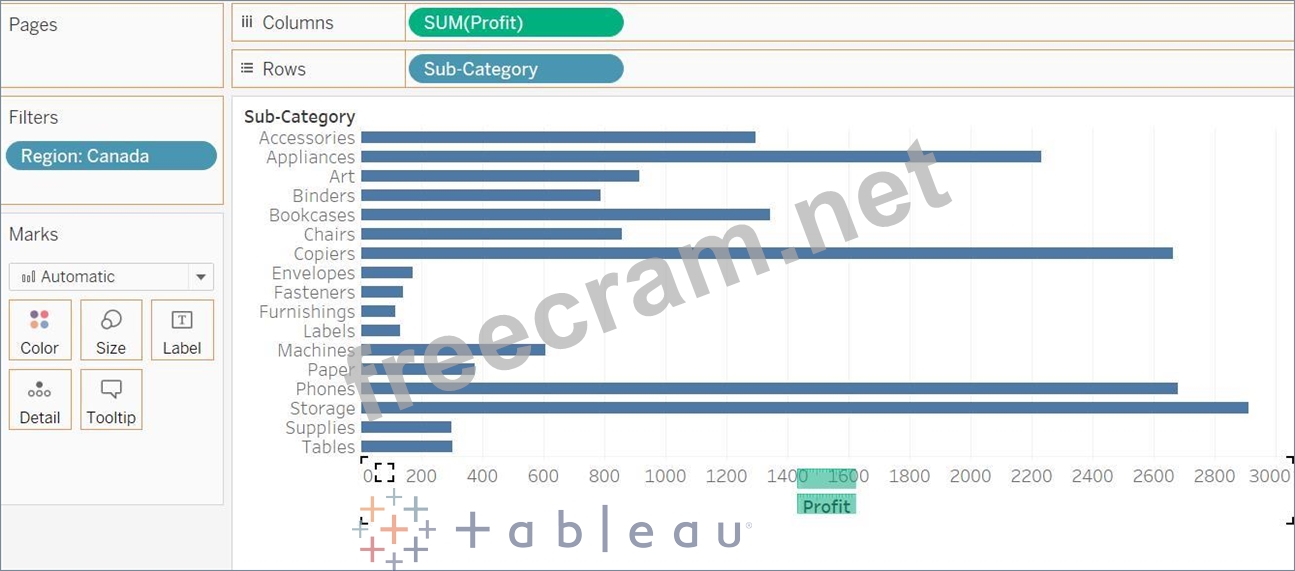
Drop Region at the filter and Select Canada
Drop Profit to columns and Sub-Category to Rows
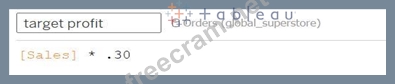
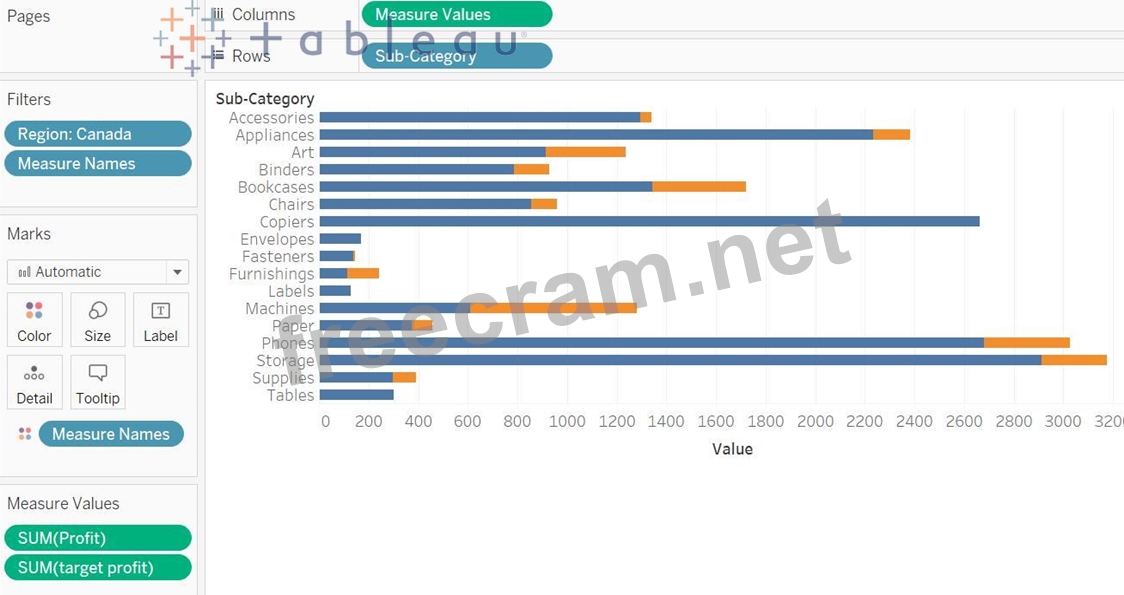
Then drop the target profit to profit axis, it will create the combined axis chart.
Chart, bar chart Description automatically generated with medium confidence

Now drop the Measure Names field from the Rows to the Color Marks Card.
Chart, bar chart Description automatically generated

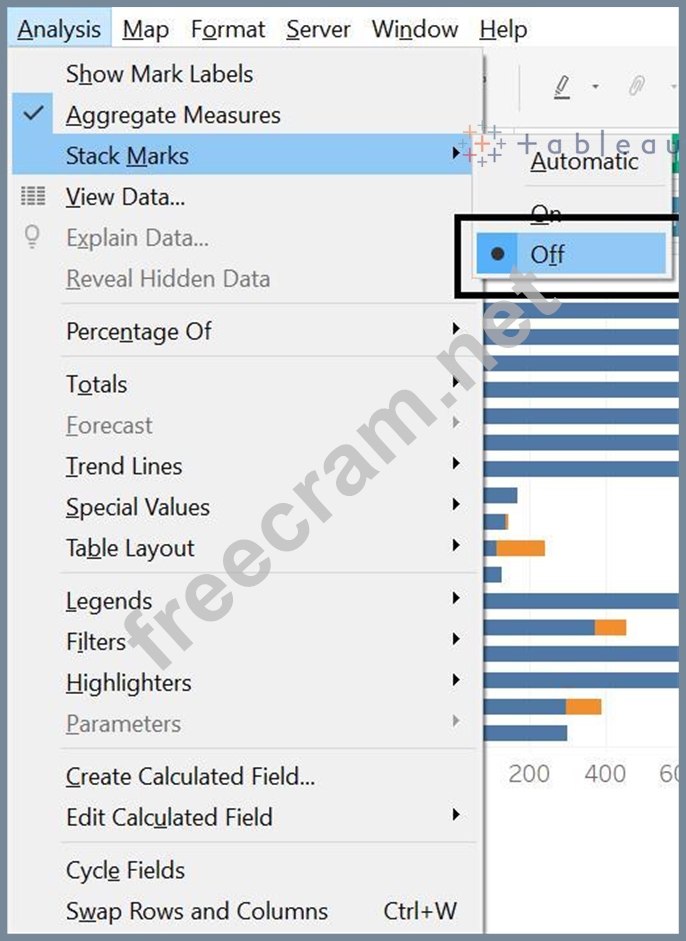
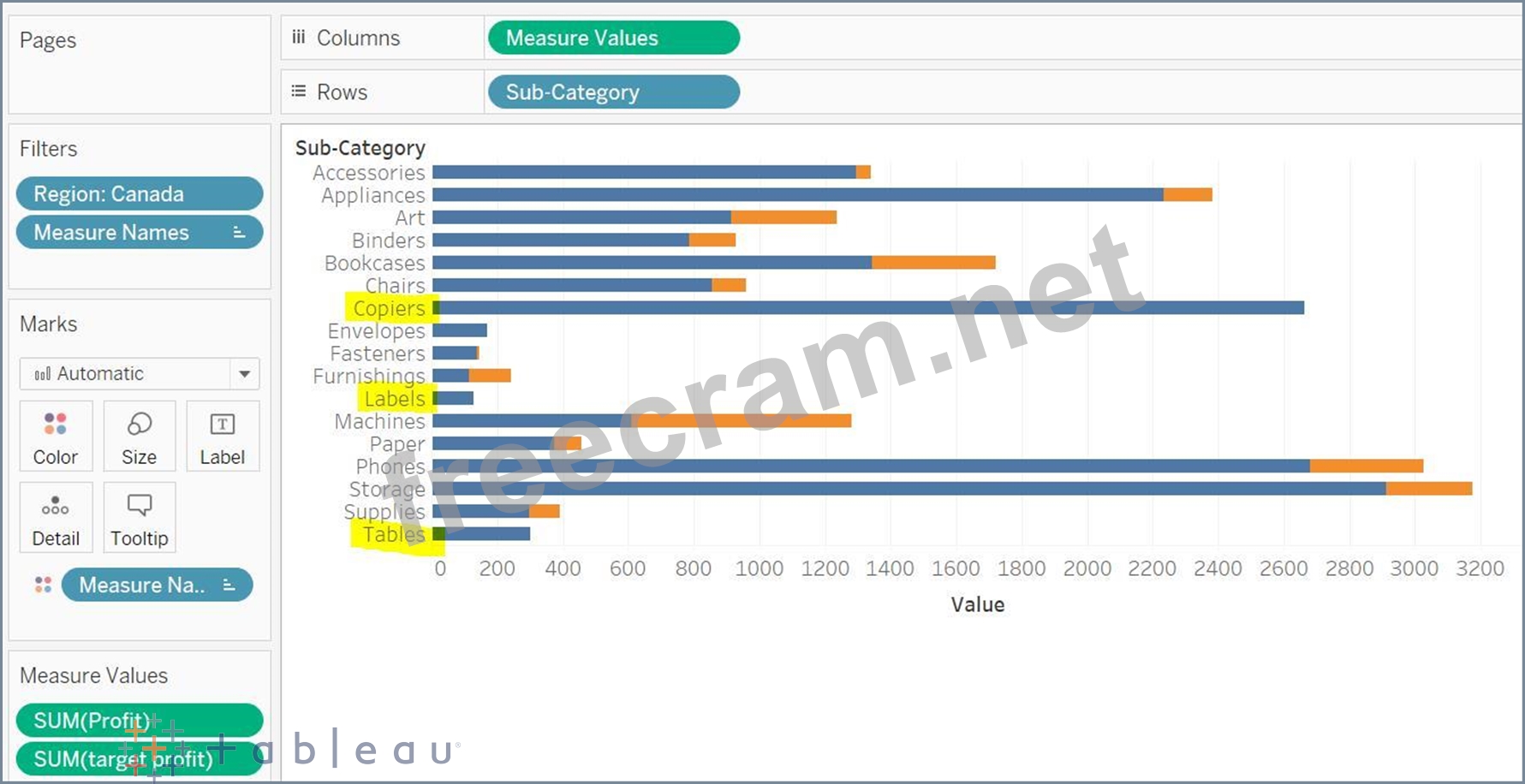
Go to the Analysis menu -> Stack Marks -> Off (so that your both profit and target profit bars will start from
0)
Graphical user interface Description automatically generated with medium confidence

Tables, Labels and Copiers sub-categories has met or exceed the target profit.
Chart Description automatically generated