<< Prev Question Next Question >>
Question 14/38
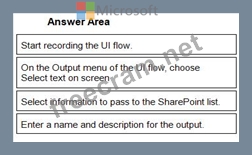
You are designing a desktop user interface (Ul) flow.
The Ul flow automates legacy software.
You need to prepare data for transfer to a Microsoft SharePoint list.
Which four actions should you perform in sequence? To answer, move the appropriate actions from the list of actions to the answer area and arrange them in the correct order.
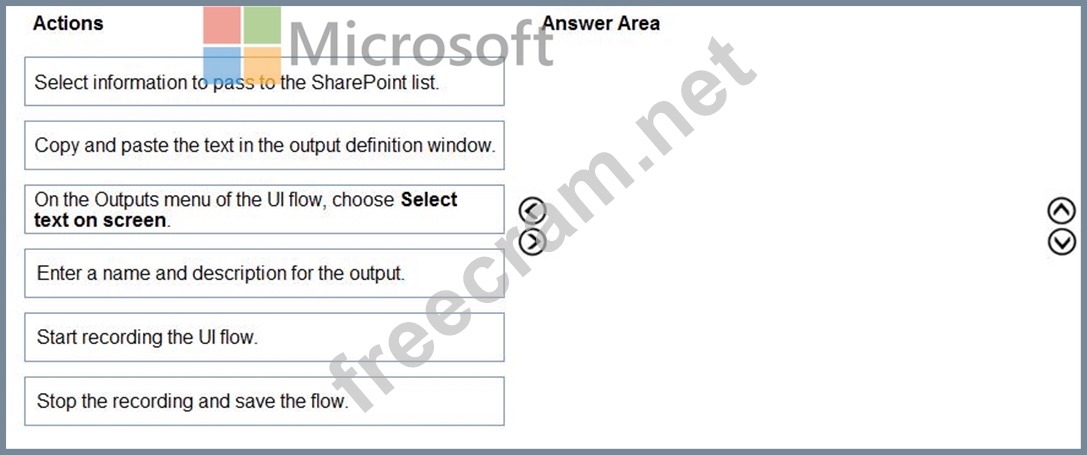
The Ul flow automates legacy software.
You need to prepare data for transfer to a Microsoft SharePoint list.
Which four actions should you perform in sequence? To answer, move the appropriate actions from the list of actions to the answer area and arrange them in the correct order.