<< Prev Question Next Question >>
Question 8/33
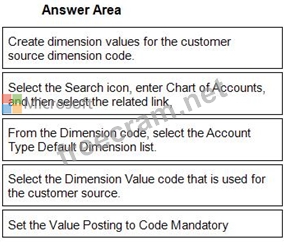
You need to ensure that any transaction that uses a customer account always includes the customer source dimension.
Which five actions should you perform in sequence? To answer, move the appropriate actions from the list of actions to the answer area and arrange them in the correct order.
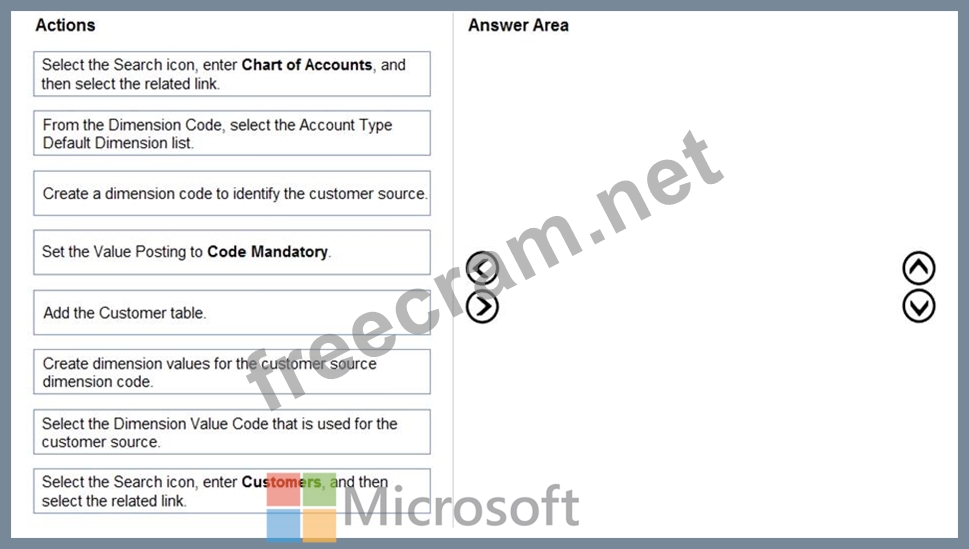
Which five actions should you perform in sequence? To answer, move the appropriate actions from the list of actions to the answer area and arrange them in the correct order.