<< Prev Question

Question 20/20

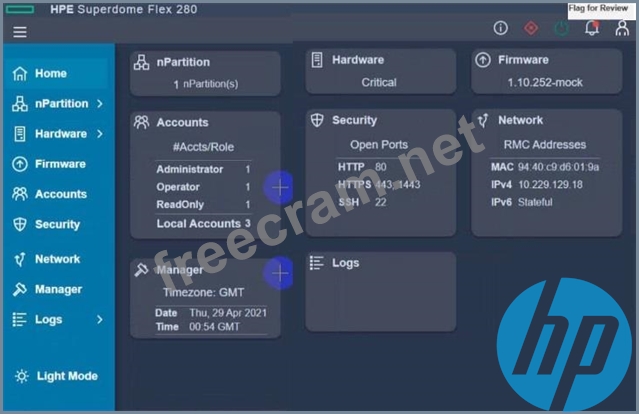
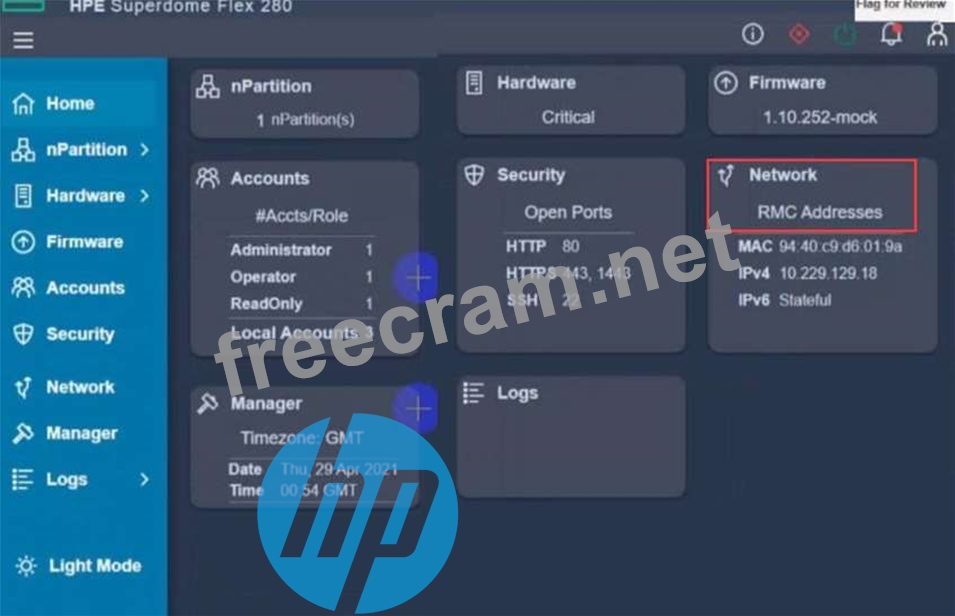
After deploying HPE Superdome Flex 280 you need to check Core Analysis Engine (CAE) Log.
Click the appropriate section in the HPE Superdome Flex 280 management interface that will allow you to complete this task.

LEAVE A REPLY

Your email address will not be published. Required fields are marked *

Question List (20q)
Question 1: Which statement about a new HPE SimpliVity deployment is tru...
Question 2: Which statement about the HPE D3940 storage module is true?...
Question 3: Your customer plans to deploy a VMware ESXi with HPE Synergy...
Question 4: Match each HPE OneView network type with its definition. (Ex...
Question 5: Your customer has the following HPE Synergy setup - 3 HPE Sy...
Question 6: You plan to configure a Link Aggregation Group (LAG) for two...
Question 7: Your customer wants to add dedicated Fibre Channel connectiv...
Question 8: Your customer has an HPE Synergy platform deployed and manag...
Question 9: Your customer plans to add four HPE Synergy frames to an exi...
Question 10: Your customer wants to compare HPE Superdome Flex with HPE S...
Question 11: You are troubleshooting an HPE OneView server profile that p...
Question 12: Click the drop-down menu that will allow you to define the l...
Question 13: Your customer experienced some problems caused by outdated H...
Question 14: What is one of me benefits of using HPE Composer 2?...
Question 15: An HPE Synergy customer needs to prevent a timeout and loss ...
Question 16: Your customer has 6 logical enclosures spanning 18 HPE Syner...
Question 17: Which tool can be used to evaluate me health of an HPE Onevi...
Question 18: Which statement about the SY480 Gen10 Plus Compute Module is...
Question 19: Refer to the exhibit. (Exhibit) Which statement about this l...
Question 20: After deploying HPE Superdome Flex 280 you need to check Cor...